Desktop App · Windows · Linux
Maew Desktop
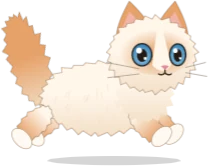
The cat from this site, on your desktop. Maew lives on your taskbar, follows your cursor, and keeps you company while you work.
Version 0.1.0 · 64-bit · Windows 10/11 installer, 108 MB · Linux AppImage, 95 MB
The Mac version isn't ready yet.

What she does
Follows your cursor
She walks and hops along the taskbar after your mouse, and stays down there out of the way of your work.
Reacts to you
She notices when you type and click, and you can pet her, or pick her up and drop her somewhere else.
Feed, tease, nap
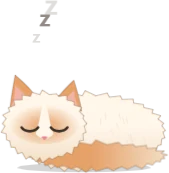
Right-click her, or the small dot beside the clock, to feed her, play with her, or send her to sleep.
Six coats, three sizes
Choose a coat and a size from the same menu. You can also set her to start with Windows, which is off until you turn it on.
Installing
Windows
- Open the file you downloaded.
- Windows may show "Windows protected your PC", because the app isn't code-signed. Choose More info, then Run anyway.
- Maew installs for your account only and appears on your taskbar.
Computers with Smart App Control turned on block unsigned apps, so she won't install on those. School computers may block her too.
Linux
- Right-click the file, open Properties, and allow it to run as a program.
- Double-click it. Nothing needs installing.
She needs an X11 desktop session. On Wayland she may not notice typing and clicks.
Privacy and removal
Maew reacts to typing, so the app listens for keyboard and mouse events across your computer. It only notes that a key was pressed, never which one, and it records and sends nothing. To remove her, right-click and choose Quit, then uninstall Maew Desktop from Windows Settings → Apps. On Linux, delete the file.